Turn a submission into the next step in your workflow
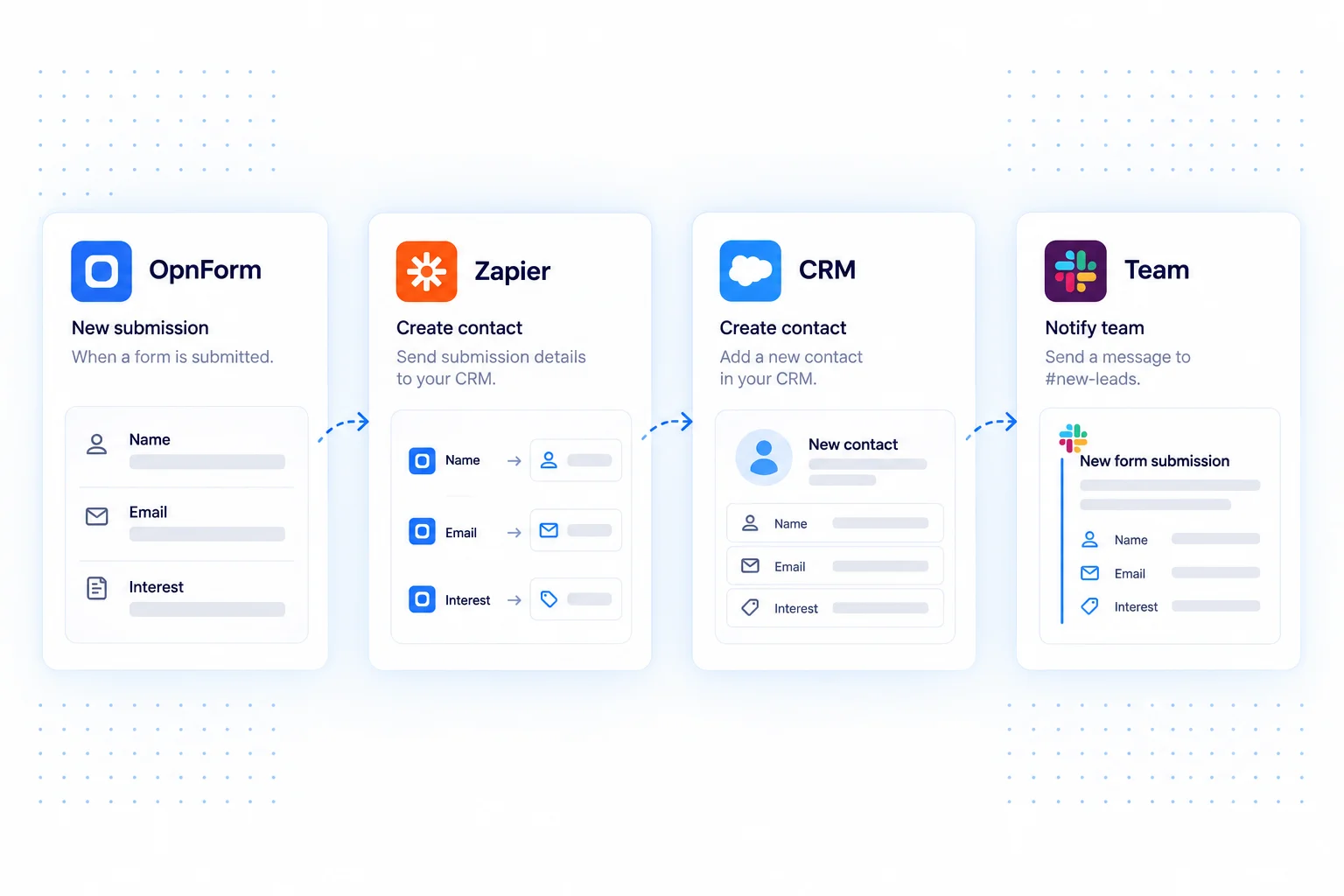
Connect an OpnForm submission trigger to actions in the apps your team uses. Zapier is a useful bridge when collecting information is only the beginning: a response can become a contact, a task, or a notification in another tool.
Keep the public form focused on the respondent, then build the handoff in a Zap. Field mapping connects the information collected in OpnForm to the fields required by your destination app.
Zapier integration use cases
Create a lead for sales
Send a new inquiry to your CRM, mapping the contact name, email, and company. Add a follow-up action to notify the salesperson or create a task, if those actions are supported by your CRM connection.
Move registrations into an event workflow
Use an event signup to add an attendee to your chosen list and start a confirmation process. Map the session choice and contact details so the next tool receives useful context.
Create tasks from internal requests
Turn an equipment or creative request into an item in your project tool. Include the description and requested date so someone can review and assign the work.
Connect OpnForm to Zapier
Start from the OpnForm integration in Zapier.
- Open the OpnForm listing in Zapier and create a Zap with the submission trigger.
- Connect your OpnForm account and select the form requested by the trigger configuration.
- Submit a sample response, then map its fields to your destination app's action.
- Test the action with sample data, review the result, and turn on the Zap.
Build a dependable workflow
Use a sample with realistic optional fields, names, and selections. Check how the destination handles an existing contact before creating new records. Keep marketing consent separate from submitting a general contact form. Actions, execution limits, and account requirements depend on your automation provider and its connected apps.
Common questions
Does Zapier replace the native integrations?
Native email, chat, and Google Sheets connections are useful for direct workflows. Zapier adds a layer when you need other destination apps or several actions around a submission.
For custom logic around APIs, compare n8n. For a direct spreadsheet connection, see Google Sheets.